 DrawingDesk
PERMANENT FREE PDF VIEWING
DrawingDesk Free Viewer
Open and navigate technical PDF drawings without a paid licence.
The Free Viewer and licensed editions use the same DrawingDesk installation. Activate a licence later without reinstalling.
Drawing-focused viewing for Windows
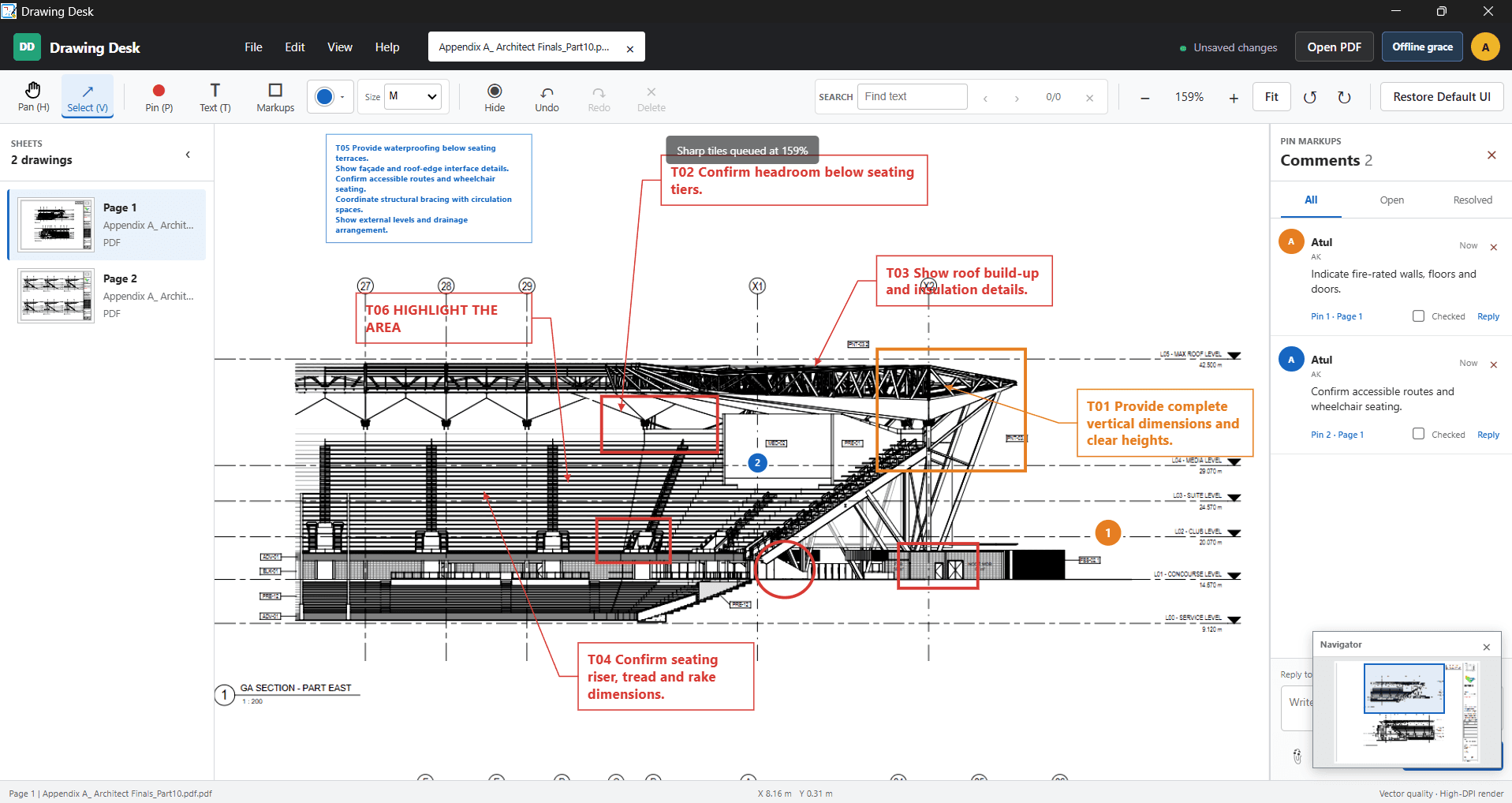
DrawingDesk Free Viewer provides permanent viewing for architectural, engineering and construction drawings, including drawing-focused navigation for large technical PDFs. No account, payment details or internet connection is required for normal local viewing.
Your source PDFs remain local during normal viewing. Upgrade only when professional review tools are required.
How it works
- Download and install DrawingDesk.
- Open local PDFs immediately in Free Viewer.
- Continue using PDF viewing without a time limit.
- Activate a Trial, Student or paid licence when review tools are needed.
Frequently asked questions
Is the Free Viewer time limited?
No. Free Viewer does not expire, and local PDF viewing remains available after any licence or trial expires.
Do I need an account?
No account or payment details are required for basic viewing or unchanged-source printing.
Is this a separate application?
No. Free Viewer and every licensed mode use the same DrawingDesk application, installer and portable package.
Can I activate a licence later?
Yes. Activate a Trial, Student, Individual or Office / Group entitlement without reinstalling.
Will my PDFs be uploaded?
No. Source PDFs remain local during normal viewing.
What happens when a trial expires?
DrawingDesk returns to permanent Free Viewer mode. PDFs, preferences, cache and review data are preserved.
Can I print a PDF?
Yes. Free Viewer can print the unchanged source PDF through Windows without a Free Viewer watermark.
Does Student Edition require another installer?
No. Student Edition is activated in the same DrawingDesk installation.